Awaiting Physician - Authorization Forms
Last updated: September 10, 2026
Some plans won't approve ongoing therapy on your treatment plan alone — they also want a short form signed by the child's physician, confirming the care you're requesting is medically necessary. Payers call it a Continued Care Plan, or CCP.
When a plan requires it, Alpaca prepares the form, gets it signed and submits the authorization. Submit the authorization request the way you normally would. Getting the signature is our job, not yours.
What you'll see
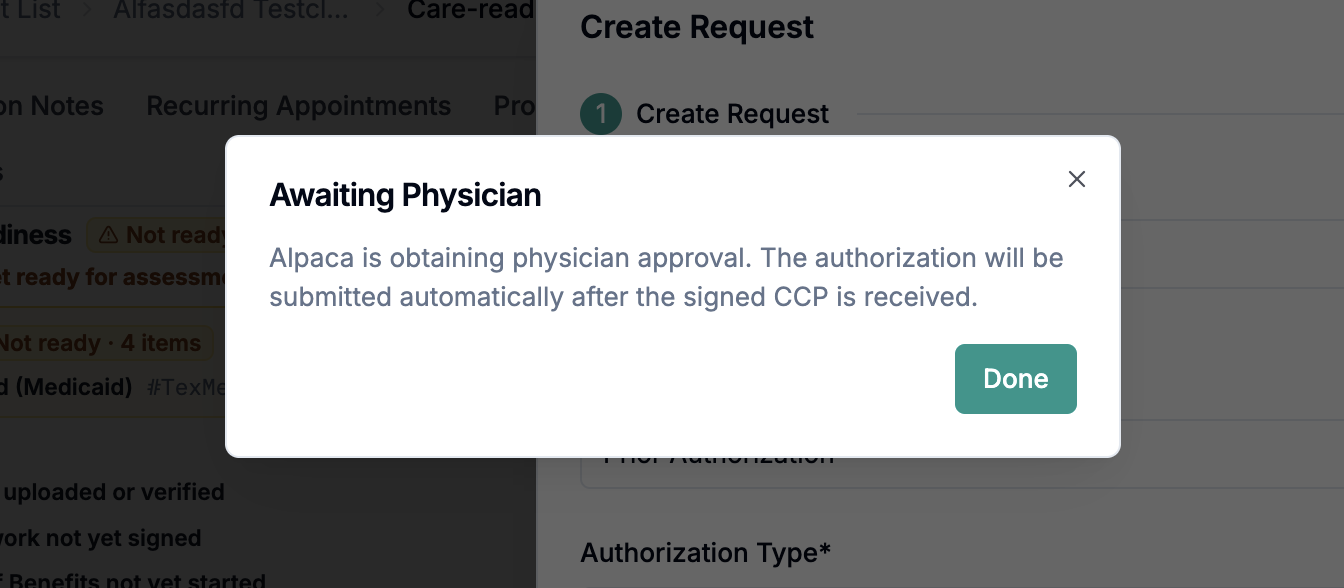
After you submit, the request in Prior Authorizations on the client's Care Readiness tab shows an amber Awaiting Physician badge, with this line beside it:
Alpaca is obtaining physician approval — the authorization submits automatically once the signed CCP is received.
On Care Readiness, the treatment stage lists a requirement called Physician-approved CCP form that stays yellow/red until the signed form comes back. That red X is an Alpaca-owned item, not a task for you.
This applies only to First Treatment and Further Treatment authorizations, on plans that require the form. Assessment authorizations (97151) are never affected.

What you need to do
Nothing. Submit the request with the treatment plan as usual, then carry on. From there:
Alpaca builds the form from your treatment plan — you don't fill anything in.
Alpaca sends it to the physician and follows up until it's signed.
Alpaca reviews the signed form and attaches it to the request.
Alpaca submits the authorization to the payer automatically — the badge clears and the request moves on to its normal payer status.
Please don't send the form to the physician yourself or upload a signed copy you obtained separately — we won't know it exists, and the request can end up submitted twice. Tell us instead and we'll take it from there.
Why the request waits
For these plans, the signed form is part of a complete request. An authorization submitted without it doesn't wait in a queue for the missing piece — the payer returns or denies it as incomplete. That means a fresh submission, a new place in the payer's queue and a new review clock, on top of still needing the signature. The short pause costs less than the bounce-back.
Note: Care Readiness gates and scheduling rules are unchanged. Whether you can see the client before approval arrives still depends on the payer's own start-date rule — check that payer's guide, exactly as you would for any other authorization.
When to reach out
Email support@alpacahealth.io if:
The Awaiting Physician badge has been showing far longer than you'd expect for that client, and nobody has been in touch.
The physician's office says they never received anything, or that they've already signed and returned it.
The details on the form don't match your treatment plan.
Quick reference
Question | Answer |
|---|---|
Do I fill in the CCP form? | No. Alpaca builds it from your treatment plan. |
Do I contact the physician? | No. Alpaca does, and follows up until it's signed. |
Do I re-submit after it's signed? | No. The authorization submits automatically. |
Which authorizations does this affect? | First Treatment and Further Treatment, on plans that require the form. Never assessments. |
Why isn't it submitted yet? | The payer would return it as incomplete, costing more delay than the wait. |