Auto-pay / Auto-Charge Enrollment
Last updated: August 21, 2026
Let Alpaca Health pay your family’s balance automatically on each due date. This short guide shows where to find Auto-Charge in the parent portal and how to turn it on or off.
Auto-Charge (auto-pay) covers your family’s share of therapy—the amount left after your insurance pays its part—by charging your saved payment method automatically on each balance’s due date. You’re emailed 3 days before every payment, and you can turn it off at any time.
Open Billing & Payments
Sign in to the Alpaca Health parent portal. In the left menu, under Parent Tools, click Billing & Payments.
In the left menu, under Parent Tools, click Billing & Payments.
Good to know: If you care for more than one child, the Billing & Payments page shows one child at a time. Use the child tabs across the top of the screen to switch children and check each child’s Auto-Charge status.
Turn on Auto-Charge (enroll)
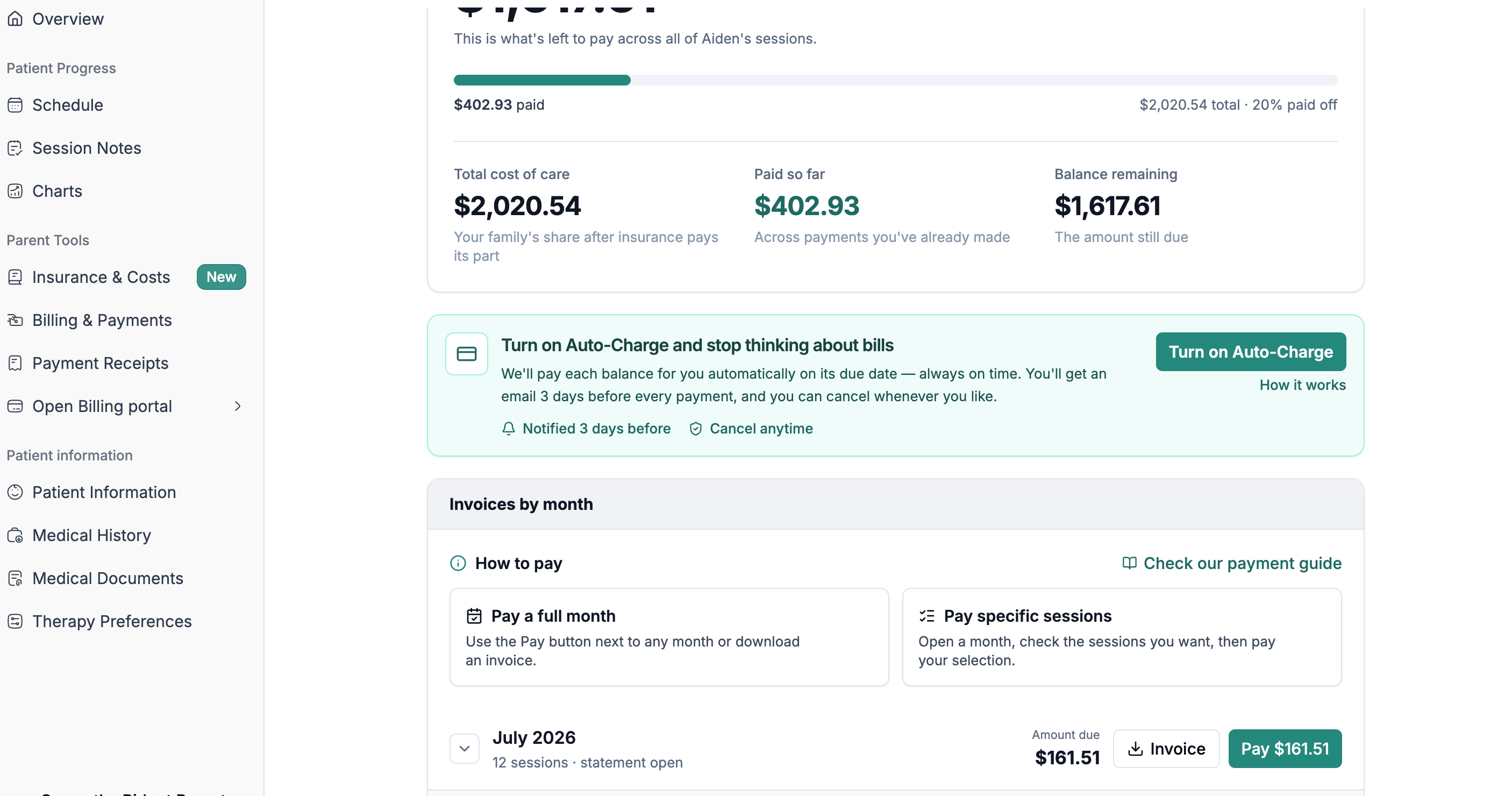
On the Billing & Payments page, look just below your balance for the Auto-Charge banner. When it’s off, it reads “Turn on Auto-Charge and stop thinking about bills” and notes that you’ll be notified 3 days before each payment and can cancel anytime.
Click the green Turn on Auto-Charge button on the right side of the banner.
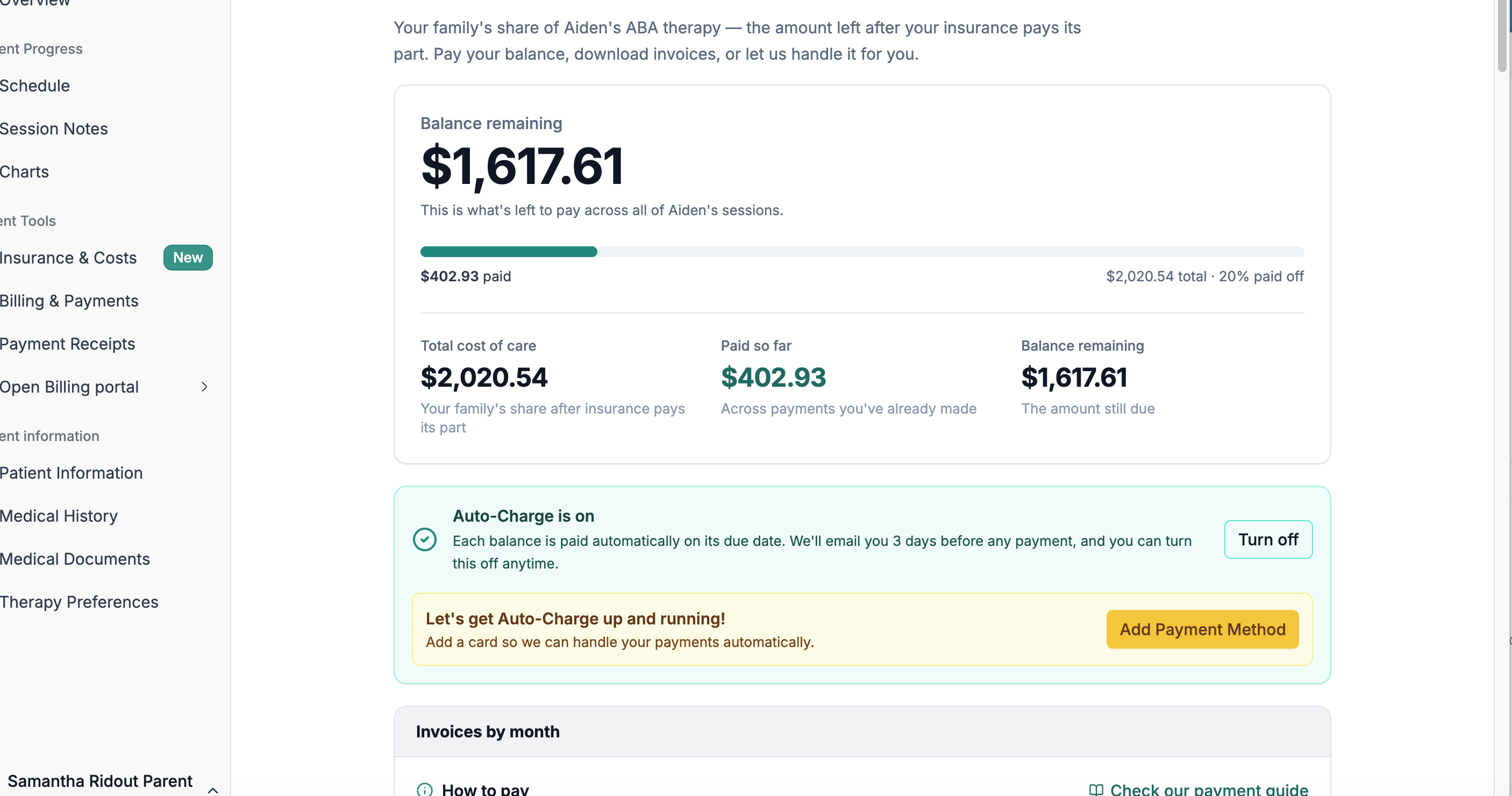
The banner turns green and now reads “Auto-Charge is on,” confirming you’re enrolled.
When Auto-Charge is off, click “Turn on Auto-Charge” to enroll. (“How it works” explains the details.)
Confirm you’re enrolled / turn it off
Once enrolled, the banner shows a green check and “Auto-Charge is on — Each balance is paid automatically on its due date. We’ll email you 3 days before any payment, and you can turn this off anytime.” To stop auto-pay, click Turn off on that same banner.
When enrolled, the green banner reads “Auto-Charge is on.” Use “Turn off” on the same banner to cancel.
Heads up: Don’t confuse Auto-Charge with the “Pay” buttons in the Invoices by month section (for example, “Pay $141.72”). Those make a one-time manual payment for a single month—Auto-Charge is the ongoing, automatic setting on the green banner above them.
Good to know: The same setting also appears as an Auto-Charge toggle on the Overview page. Turning it on or off in either place controls the same thing.