Automatic Phase Progressions
Last updated: September 10, 2026
Automatic Phase Progressions let Alpaca move a program through its clinical phases: Baseline, Intervention, Maintenance, Generalization, Mastery for you, based on the finalized session data your team collects. You define the clinical criteria once; Alpaca watches the data and either advances the program automatically or sends you a change to approve. It replaces the manual phase-change tracking you do today.
You stay in control. At launch your organization runs in approval-only mode, nothing moves without your sign-off; every qualifying advancement or regression comes to you as a proposal to review first.
Before you start
Your organization has already turned this on and chosen which measurement types it covers.
You’ll work in two places: the Program Library (build reusable progressions) and a client’s program tab (assign a progression from your library to your client's programs).
It’s built from criteria you already know: percent accuracy, percent independence, frequency, duration, Likert ratings, plus minimum trials and a collection schedule.
Part 1 — Build a progression
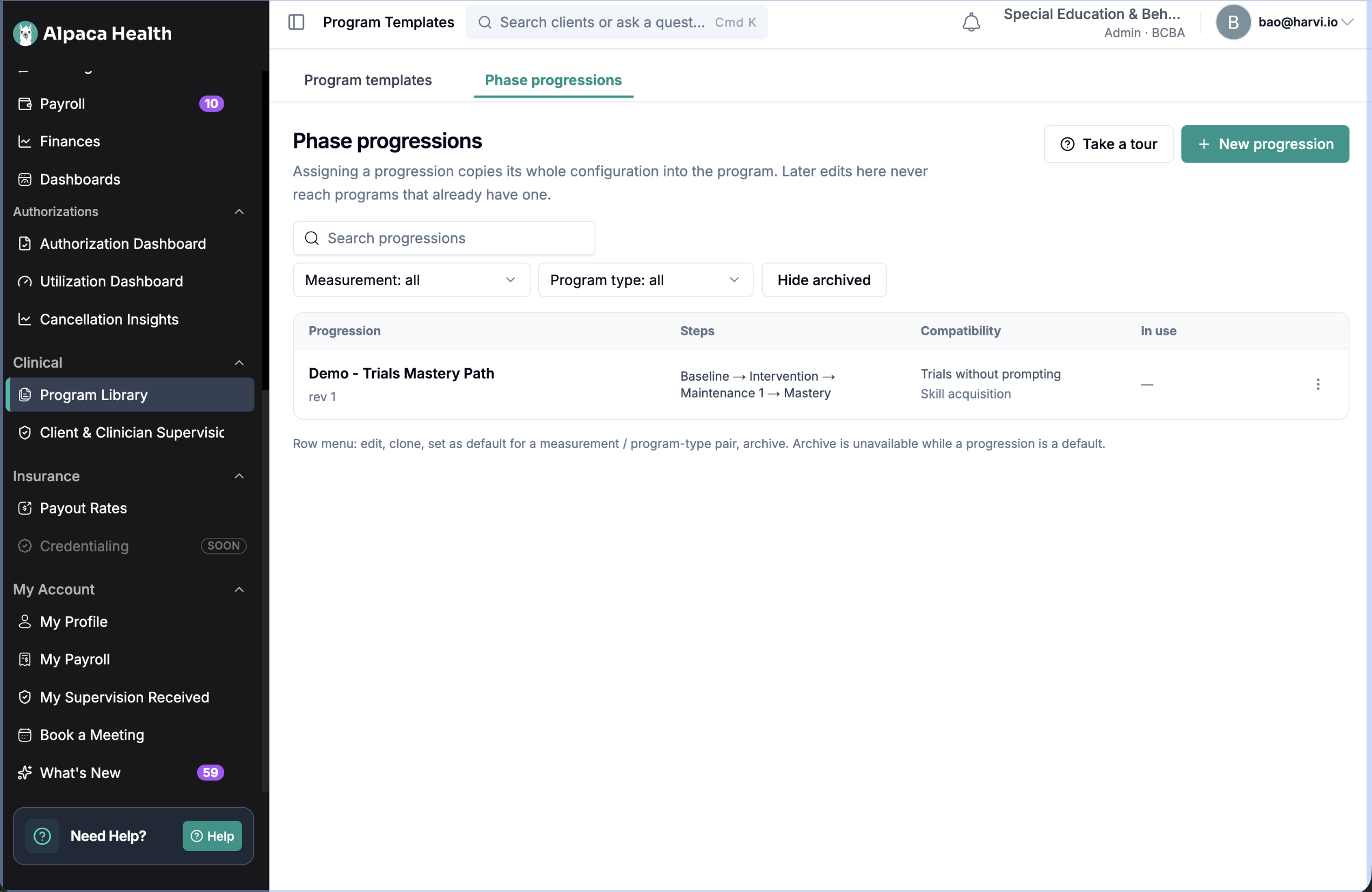
Program Library → Phase progressions tab.
New progression (or Take a tour first).
Name it ("DTT Maintenance", "Manding maintenance" ).
Choose the measurement type and compatible program types.
Set goal direction (Increase / Decrease).
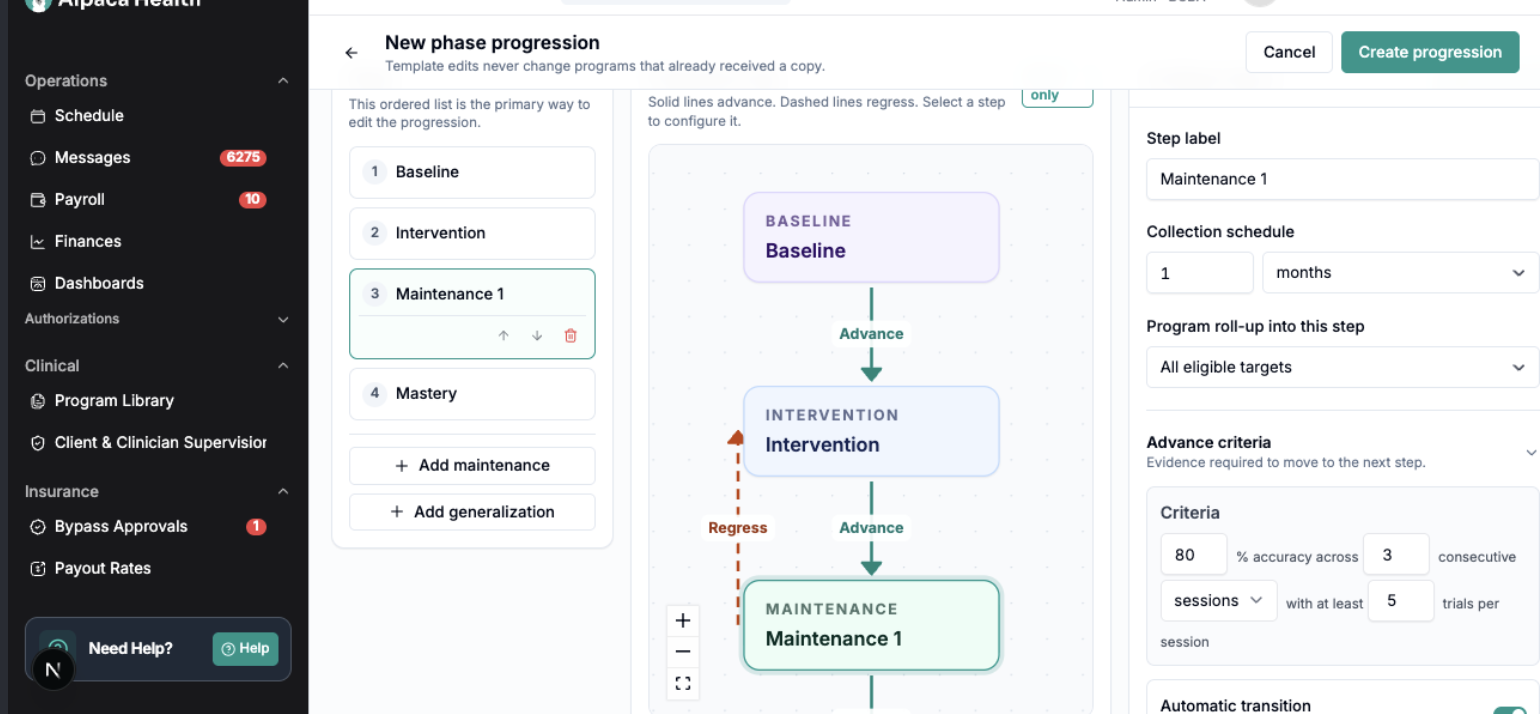
Build the steps — Baseline and Mastery are fixed; Add maintenance (repeatable) and Add generalization (one). The diagram draws it: solid = advance, dashed = regress.
Per step, set advance criteria, collection schedule (per session / day / week / month), program roll-up (all eligible targets vs exact count), and regression criteria (what happens if a target doesn't meet your maintenance criteria, mirrors advance by default).
Watch the Validation panel until it says ready to save.
Create progression.
Tip: set a progression as the default for a measurement + program type so it’s preselected on assignment.
Part 2 — Assign to a client’s program
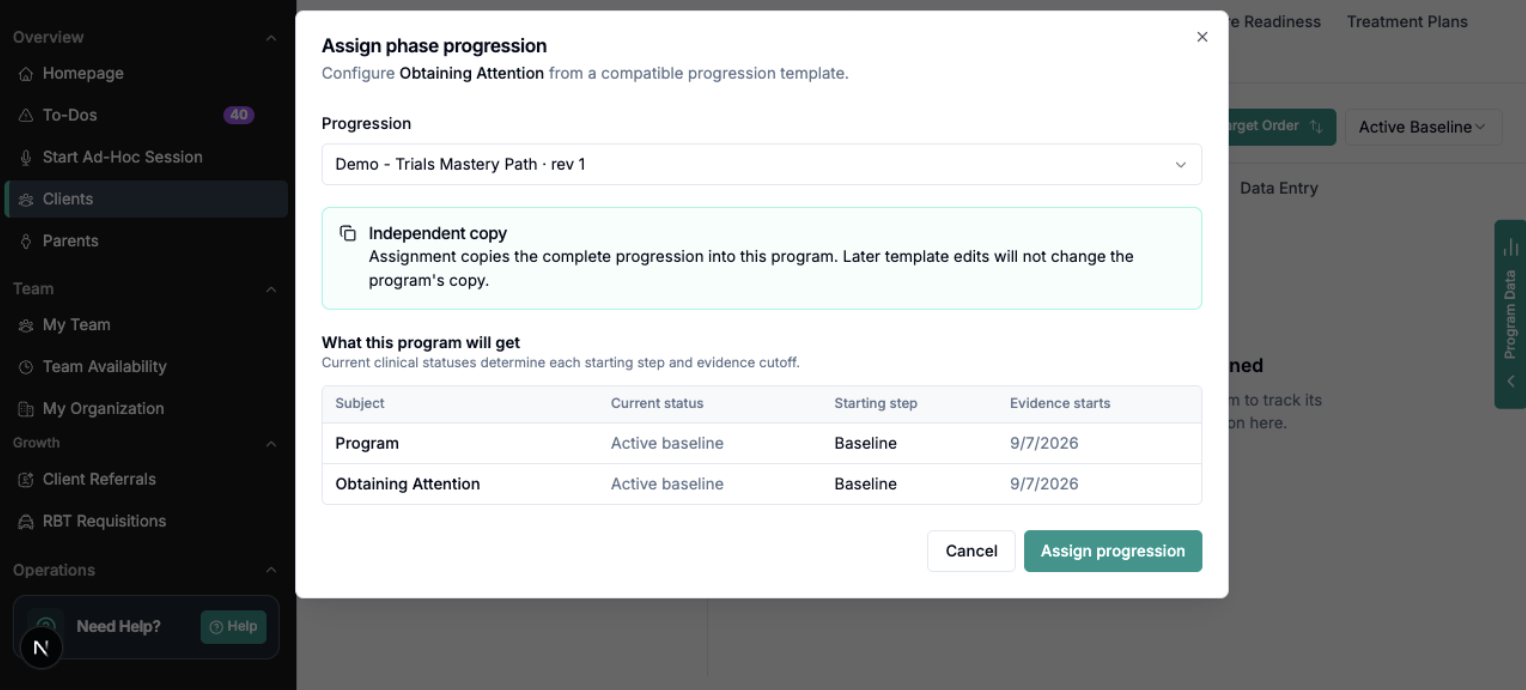
Assigning takes an independent copy — later library edits never disrupt active clients.
Client → Programs → select the program.
Open its Phase progression tab → Assign progression.
Only compatible progressions appear (e.g. progressions for trials without prompting match with programs using measurement type trials without prompting).
Preview assignment shows each target’s current status, inferred starting step, and evidence start date.
Assign progression. (Refresh if the tab doesn’t update immediately.)
Part 3 — How it runs & how you review
Alpaca scores finalized, signed sessions (after the assignment date) against your criteria and builds the streak. When criteria are met it creates a proposal for you to approve or dismiss.
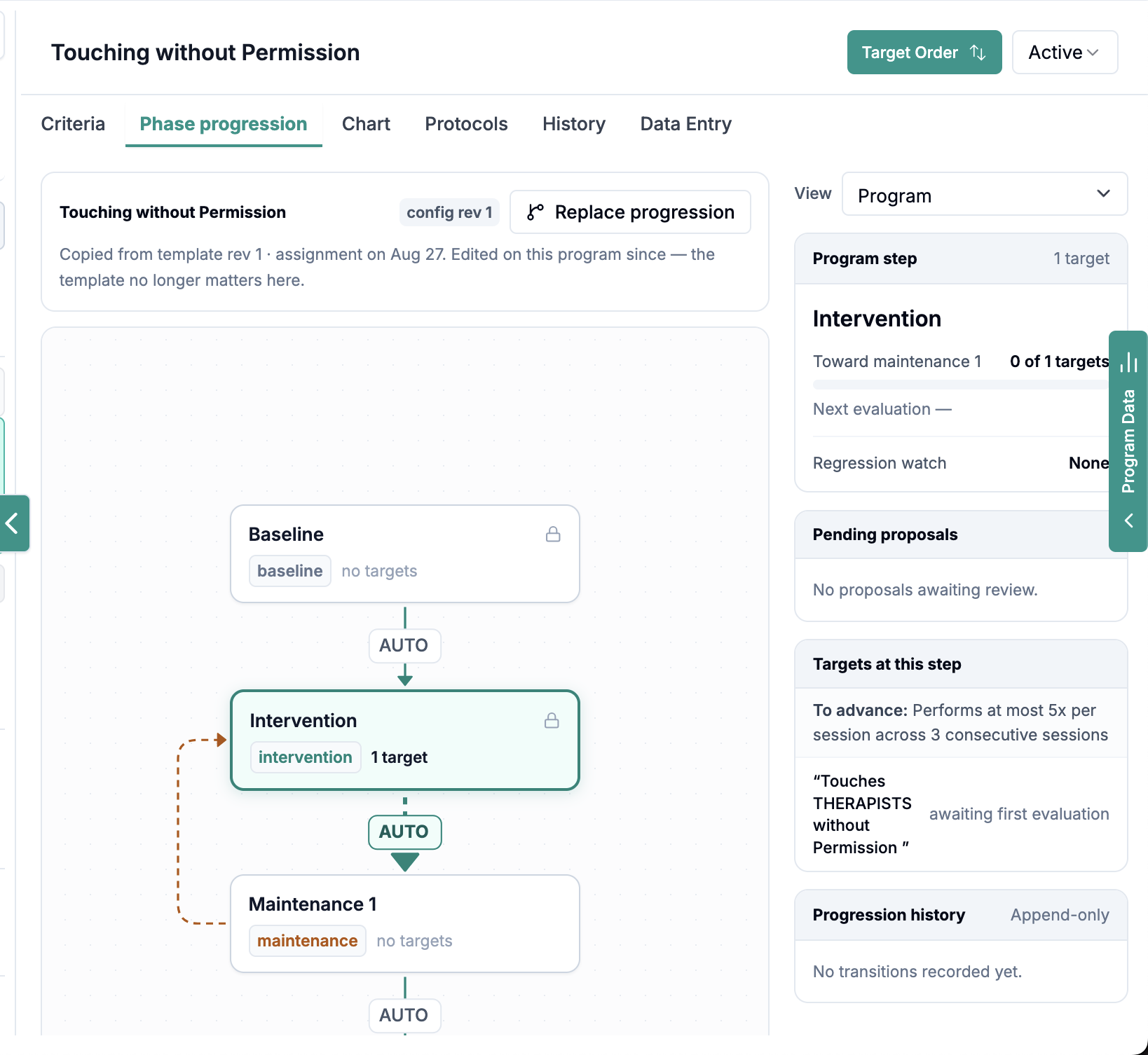
Review on the client’s program Phase progression tab → Pending proposals → Approve or Deny (reason required; denial suppresses that change until new qualifying data appears).
The tab also shows Program step, progress toward the next step, Regression watch, and an append-only Progression history.
Part 4 — Zero vs no-data (frequency & duration)
Finalizing an empty frequency/duration target prompts a choice: “Behavior did not occur” (a confirmed zero — counts as evidence) or “No data collected” (indeterminate — doesn’t count). Duration timers must be started and stopped.