Watching an Ongoing Session
Last updated: October 1, 2026
You can open a colleague's running session and see their data-collection board as it fills in, without joining the session or touching it. It is how a clinic owner, a director or a client's BCBA checks in on an RBT mid-session. The board is the same one the RBT is tapping, and it refreshes every few seconds.
It makes three promises:
Nothing you do is recorded. Watching writes no data, adds you to no session and starts no recording. You cannot change the board, even by accident.
You see what the RBT sees. Same programs, same targets, same counts, starting on the same tab with the same filter.
Only the right people can watch. Clinic leadership, and the client's own care team. Everyone else gets the same answer as if the session did not exist.
Who can watch
Who | Which sessions |
|---|---|
Admin, Assistant Admin, Director | Any running session in your organization. |
Anyone else on staff: Clinician (BCBA), Lead RBT, Organization User (RBT/BT) | Only sessions for a client whose Supervising BCBA you are, or whose Care team lists you. |
HR Manager, Accountant, parents | None. These roles cannot open client records, so they cannot open a client's session either. |
To check whether you are on a client's care team, open the client's profile and look at Supervising BCBA and Care team. If you should be there and are not, ask an admin to add you. You can watch as soon as you are listed.
Being able to watch does not change which clients you can see anywhere else in Alpaca.
A BCBA is not given every session in the clinic. They watch the clients they supervise, the same caseload they are responsible for.
Open the session
A colleague's running session offers you a different button from the one the RBT sees:
On the appointment page, and on appointment cards on the Schedule and the homepage: View live session.
In the Schedule table view: Watch.
The button appears only while the session is running: it has been started and has not been ended. The RBT running it always sees Continue Session instead. So does the clinician assigned to the appointment.
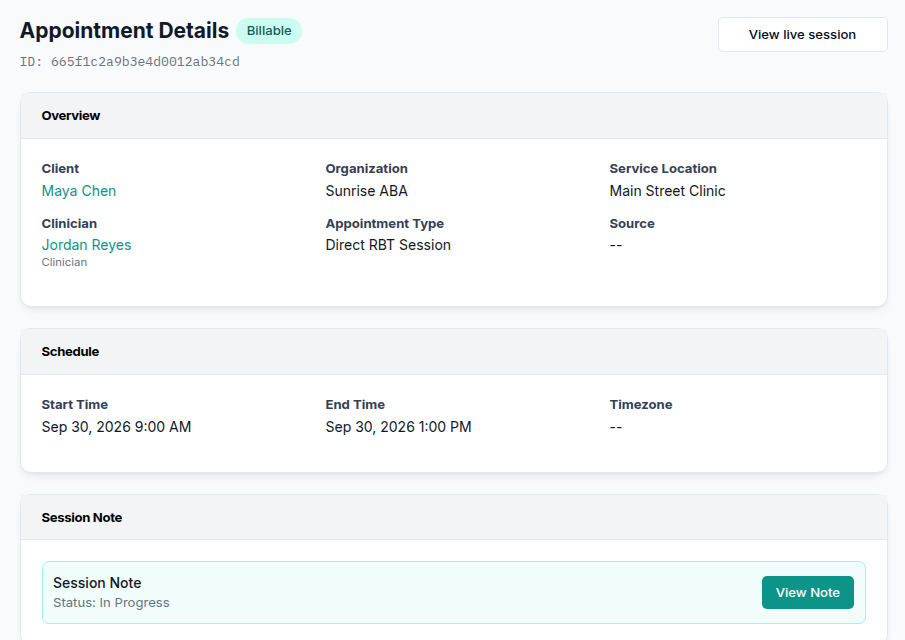
If you cannot watch this session, you see the usual disabled button. Hover over it to read Only the assigned clinician can continue this session.
What you see
The page is headed with the client's name and View only. Below that:
on the left, Started by and the RBT's name, then the start time;
on the right, Updates every few seconds as data is collected. Nothing you do here is recorded.
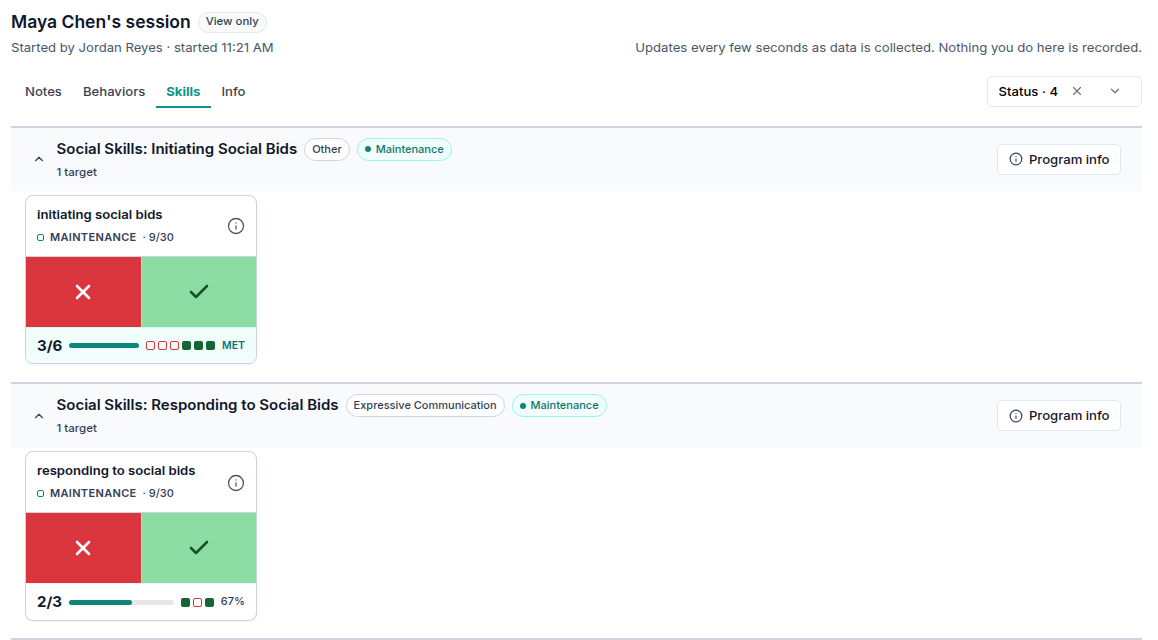
The tabs are:
Notes: what the RBT has typed in Take notes so far. You see this tab only if your role can already read colleagues' session notes. Most RBTs cannot, so a care-team RBT who watches sees the board and Info, but not Notes.
Behaviors, Skills, Parent training: the board, one tab for each kind of program the client has. The page opens on the same tab the RBT's session opens on.
Info: the client's programming hints, read-only.
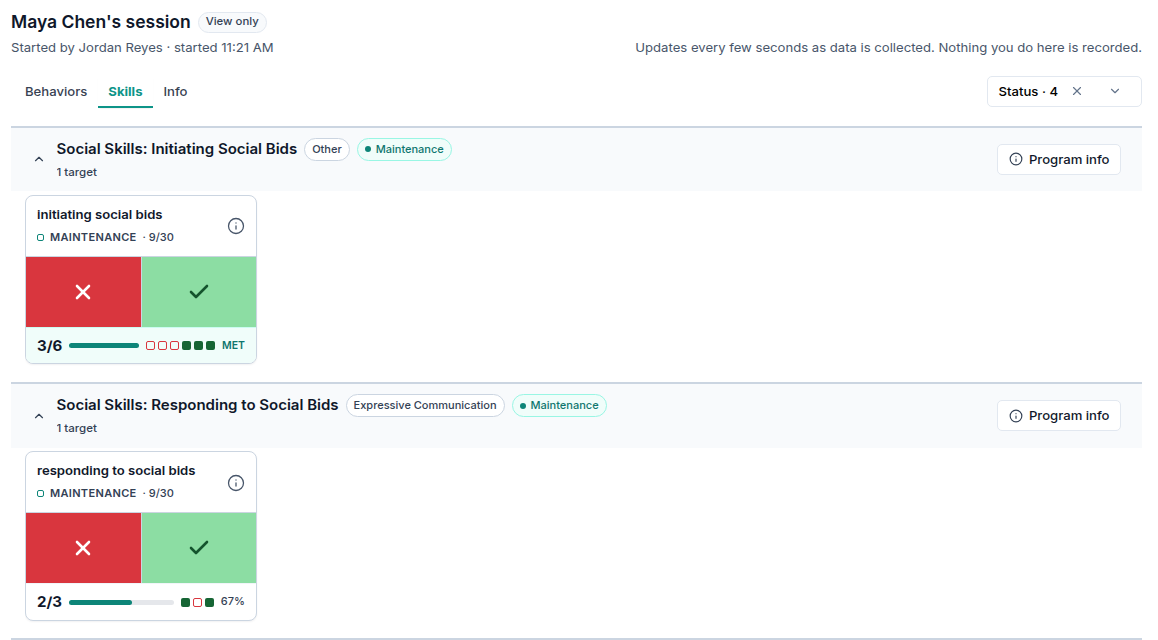
The status filter starts where the RBT's does. You can change it to see more or fewer targets. That changes only your view, not the RBT's.
New taps appear within a few seconds without reloading. If the RBT undoes an entry, it disappears from your board too.
What makes this safe
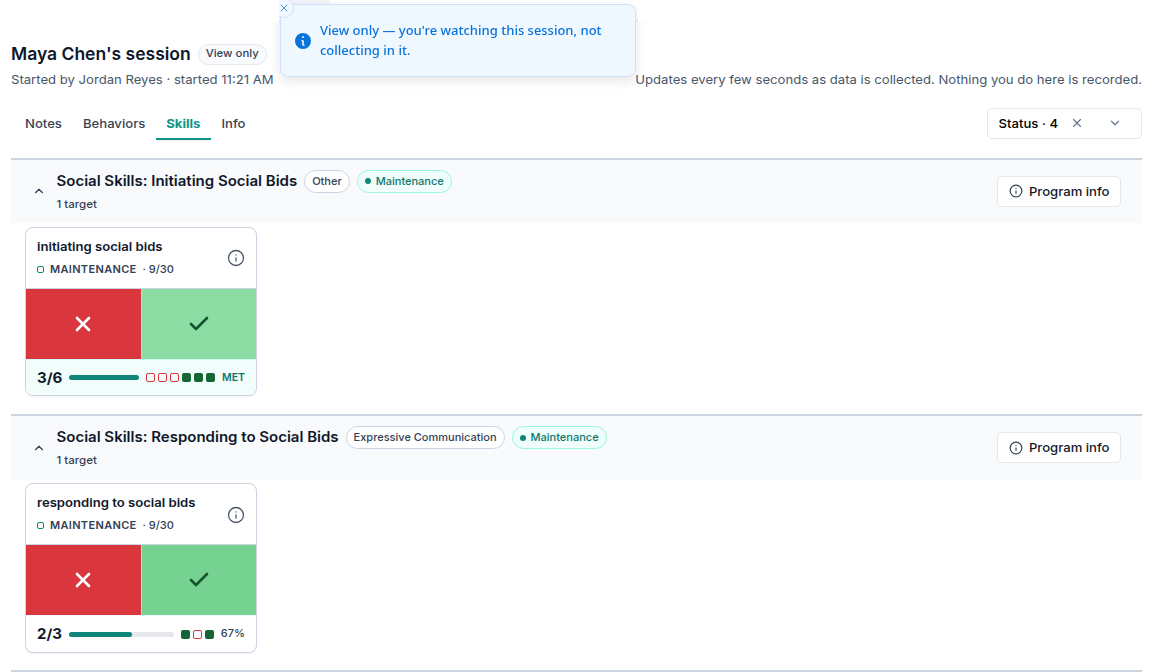
Every control is inert. Tapping a counter, starting a timer or marking an interval shows View only — you're watching this session, not collecting in it. and changes nothing. Edit, Target order and manual duration entry are not shown at all. They would open editors you cannot save from.
You are never part of the session. You are not added as a participant or a collector, and your name appears on nothing the RBT records. Watching gives you no session note to write or sign.
The RBT's session is unaffected. Nothing on their screen changes while you watch, and Alpaca does not tell them that someone is watching. If your clinic expects staff to know when they are being observed, say so as part of your supervision practice.
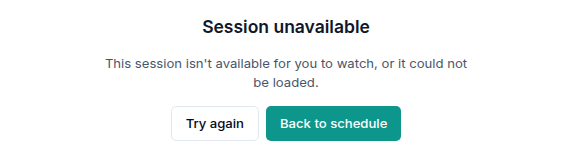
Access is checked every time the page refreshes. Suppose you are removed from the client's care team, or your role changes, while the page is open. The next refresh replaces the board with Session unavailable. You do not keep looking at a board you are no longer allowed to see.
A refusal says as little as possible. A session you cannot watch shows the same screen as one that does not exist, so a shared link cannot confirm that a session is happening.
When the session ends
When the RBT ends the session, your page says This session is no longer running. and offers Open the session note. The board stops refreshing.
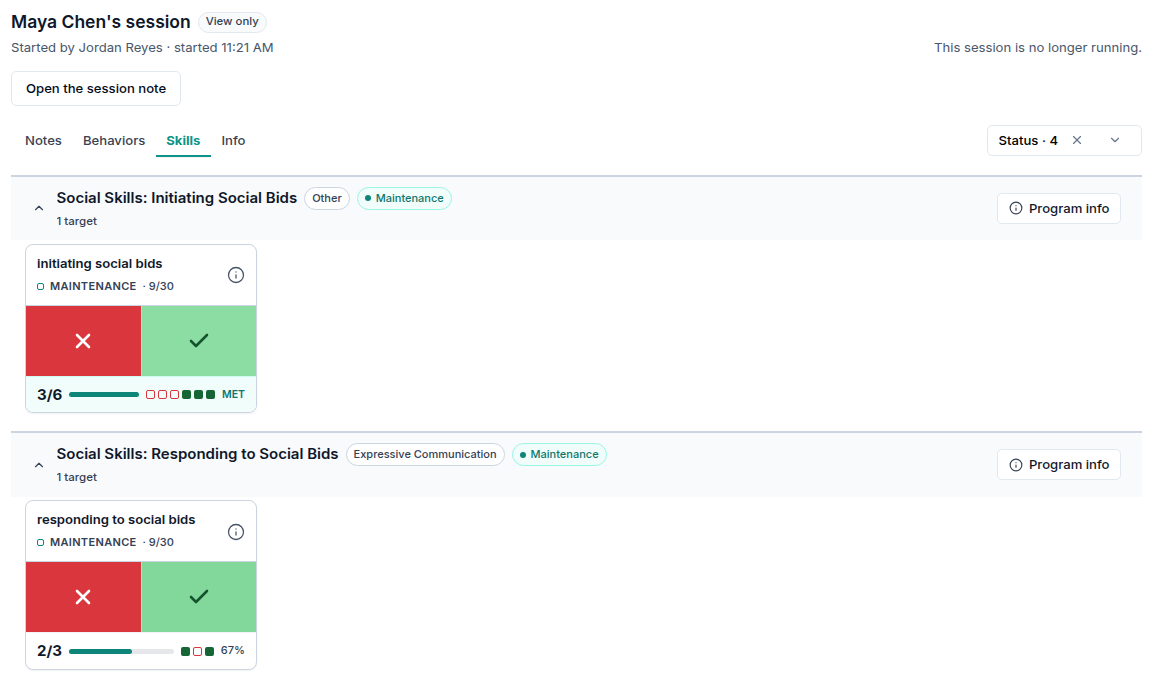
The note opens under the usual session-note rules. Watching a session does not give you any extra access to its note.
What it will not do
It will not let you collect. If you need to record data too, start your own session and join the RBT's board. See Shared data collection - Live board. Watching exists so that checking in never creates a second set of data.
It will not count as supervision. Watching creates no session, so there are no hours to credit. For supervision time on a 97155, start your supervision session and join the board. Track Your Supervision Hours & Ratios counts sessions, not views.
It will not let you take over. A colleague's session stays with the person running it. If they cannot finish it, they end it themselves.
It will not show group sessions (97154, 97158). Group sessions keep their own console, and no View live session button is offered for them.
Your data
Watching reads the same session data the board already shows to staff who can open the client. Nothing new is stored while you watch.
When someone tries to open a session they are not allowed to watch, Alpaca records the refused attempt in its access log.
Watching sends nothing outside Alpaca and sends no notification.
Recover from common problems
What you see | What it means | What to do |
|---|---|---|
Session unavailable: This session isn't available for you to watch, or it could not be loaded. | You are not leadership and not on the client's care team, the session was removed, or the page could not load. | Check the client's Supervising BCBA and Care team. If you should be listed, ask an admin to add you, then choose Try again. |
Disabled Continue Session, with the tooltip Only the assigned clinician can continue this session | You cannot continue or watch this session. | As above. Only the person running the session can continue it. |
Couldn't refresh — showing the last update. Trying again. | A refresh failed. You are looking at the last board that loaded. | Wait. The page retries on its own. If this keeps happening, check your connection. |
No data has been collected in this session yet. | The session has started, but the RBT has not tapped anything yet. | Keep the page open. Entries appear as they are recorded. |
This session's notes could not be loaded. | The Notes tab failed to load. The board is not affected. | Reload the page. |
This session is no longer running. | The session was ended, or it was started more than 12 hours ago and never ended. | Choose Open the session note. |
View only — you're watching this session, not collecting in it. | You tapped the board. Nothing was recorded. | Nothing to do. To collect, start your own session and join the board. |
Current limitations
Sessions without an appointment (some ad-hoc sessions) have no button to watch them from.
Shared boards. When two people collect into one shared board, you see every entry, but not who made each one.
Sessions left open. A session started more than 12 hours ago and never ended is treated as abandoned, not running. It still shows View live session until its appointment is 30 days old. The page then opens on This session is no longer running.
Care-team changes. When you are added to a care team, a page you already have open may keep showing the disabled button until you reload it.
No list of running sessions. There is no page that lists everything running right now. Use the schedule and the homepage to find the session.